-
Section 4 - In this section you will learn how to add more effects and adjust the work.
7 Lessons
How to Color Comic Art in Procreate
Learn to Create Stunning Comic Style Colors with Digital Art Techniques
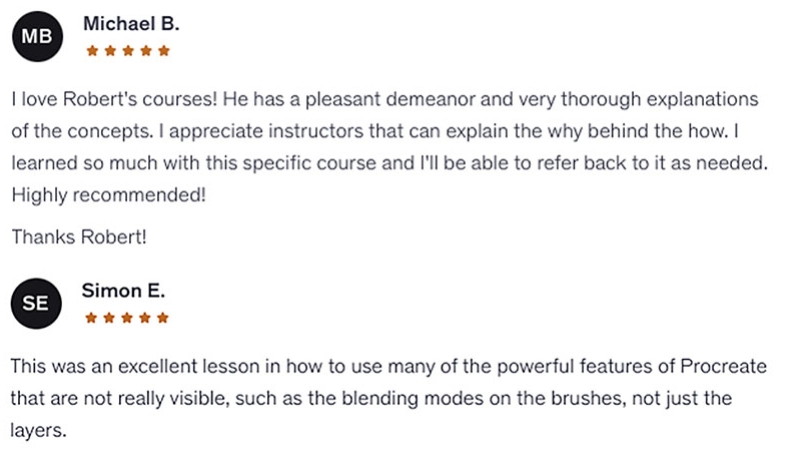
Check out what other students say about this course!
I do my very best to listen to your feedback and improve upon the quality of my lessons. If you see something that is missing from this course. Please let me know and I will either help you along with your specific problem or create new content that will address it for everyone.
Course Description
In this course you will learn how to apply color and effects in Procreate in a step by step fashion. I will supply you with the art file and brushes that I use so that you can follow along as we complete the coloring process on this comic style artwork. This course in almost entirely in real time except for one small section where the work is redundant. This allows you to see exactly how I maneuver through my coloring process.
Throughout this course you will learn why Procreate is an exceptional way to color your comics. It has some of the best features available with a light interface that allows you to move more freely through the process. I will show you how to use the following features -
- Blending Modes ( Brush and Layer Level )
- Freehand Selection Tool
- Clipping Masks
- Hard and Soft Edge Effects
- Hue - Saturation - Brightness
- Hand Gestures
- Luminance Brushes
You will learn what these tools are but more importantly, how to use them. I show you how Clipping Masks help you to work in a non-destructive manner. That way you can test the effects you want to see within your work but not waste time having to start over if you don't like the end result.
You will be creating stunning colors in no time! Let's dive in and color some comic art together! :)
-Robert
Watch the First Few Lessons and See What you Think...
Get a Full 30 Day Money Back Guarantee with This Course!

Course Pricing
Standard Plan
$25 USD
-
Get lifetime access to this course plus all the art files
-
- HD Videos
- Art Files
- Q+A Community
- Lifetime Access + FREE Updates!
Pro Plan
$49 USD
-
With this Pro Plan you get more personalized feedback that include draw overs.
-
- Everything from the Standard Plan +
- Premium Instructor Feedback and Draw-overs
Course + Live Session
$99 USD
-
Get a 1 - Hour Live Drawing Session + Course
-
- Everything from the Pro Plan +
- 1 - Hour Live Comic Coloring Session

Robert Marzullo
Hello, my name is Robert A. Marzullo. I have been a working professional artist for 25 years. I have been published in comics, created 3D animation and characters for television, illustrated storyboards for commercials, and owned and operated my own sign and design business successfully for over 15 years.
I am also the author of the book "Learn to Draw Action Heroes"
by Penguin Random House and the creator/illustrator of Blackstone Eternal. An independent comic book.
I am currently a professional freelance illustrator and comic artist where I create digital art for my clients. I create sequential art and character concepts as well as occasional logo designs.
I now share my knowledge in digital art and computer software through online courses and have a growing Youtube channel as well. With over 270,000 Youtube subscribers and quickly growing I felt I should create some more in depth content for students wanting to take their skills to the next level.
My goal is to help aspiring artists realize their potential and break their mental barriers that hold them back from creating the artwork of their dreams. We can all do it with the right instruction and work ethic. That is what I am here to teach my students.
I am very dedicated to my students and responsive to any of your questions so please don't hesitate to ask. I am here to help!